Follr Community Feature #1: Advanced Messaging

Here is a behind the scenes look at one of our latest Follr Community Features: Advanced Messaging. We may be biased, but we’re pretty sure we lay claim to the most diverse and useful messaging capability of any online community platform out there today.

As a Follr Online Community Manager, you’re able to direct message one, several or all of your community members with just a few clicks. You can manage which email addresses the message is sent to and from, and which email address you’d like responses to be delivered to. And all of this can be done without even logging in to the community.

Advanced messaging, as described by our product developer, Mark Wayman, is “A powerful… and unique tool to encourage a growing membership…This [tool] can be used for general updates, to make introductions between members – a general communication tool.”

Create a custom Follr Community now and utilize this innovative new tool to connect with your network today!

How To Share Content Across Multiple Social Networks With One Click

We’ve rolled out lots of new Follr features and here are details on one of them.

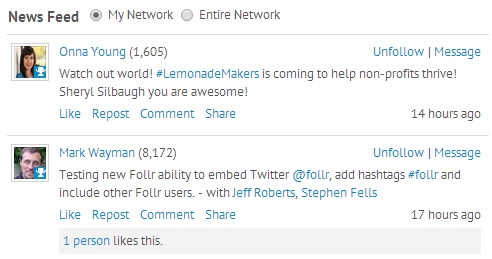
We have updated the news feed and you can now more widely share activity and content from connections and members of the general Follr community:

The activity and status updates you see are either from ‘My Network’ (your existing Follr connection) or ‘Entire Network’ (everyone else). You can then like, repost, comment and share that content via Facebook, Twitter, LinkedIn or Google+.

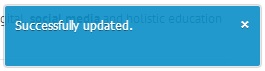
To like a post simply click the ‘Like’ link and you will see this message:

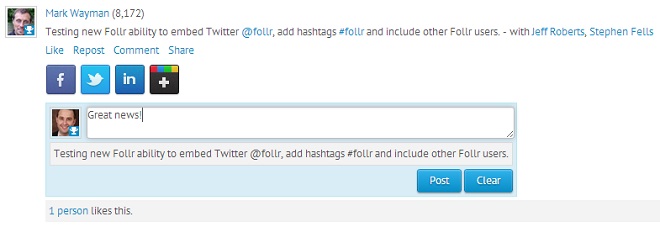
To repost content within Follr click the ‘Repost’ link, add commentary (if so desired) in the box then click the ‘Post’ button:

In the example above you will see Mark used a hashtag, an @ sign and member tagging. We’ll highlight these features in a later post.

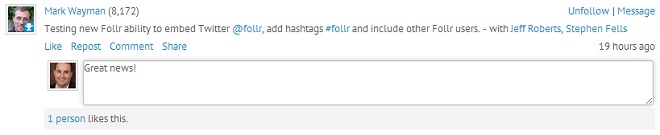
Commenting is easy – simply click the ‘Comment’ link, add your comments then hit enter:

And finally Sharing. Simply click the ‘Share’ link, select a social network you want to post to then click share!

Check back for details on other new Follr features and if you would like to see something added please let us know.