
Adding Documents or Files to Your Follr Profile Website

If you ever need to add a document to your profile, like a PDF of your fantasy sports team, it’s quick and easy with Follr!

Here is how it’s done.


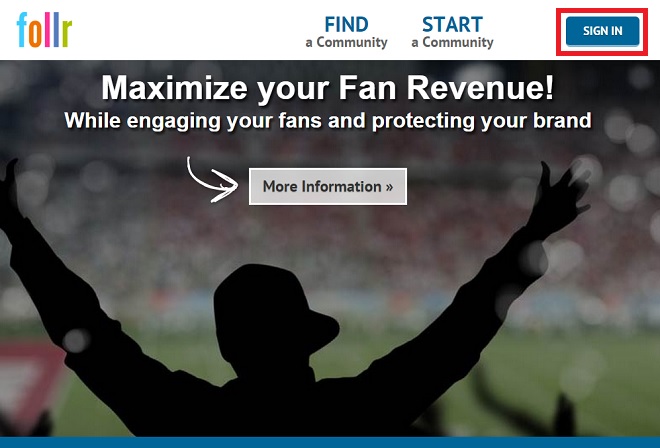
1: Log into your account:

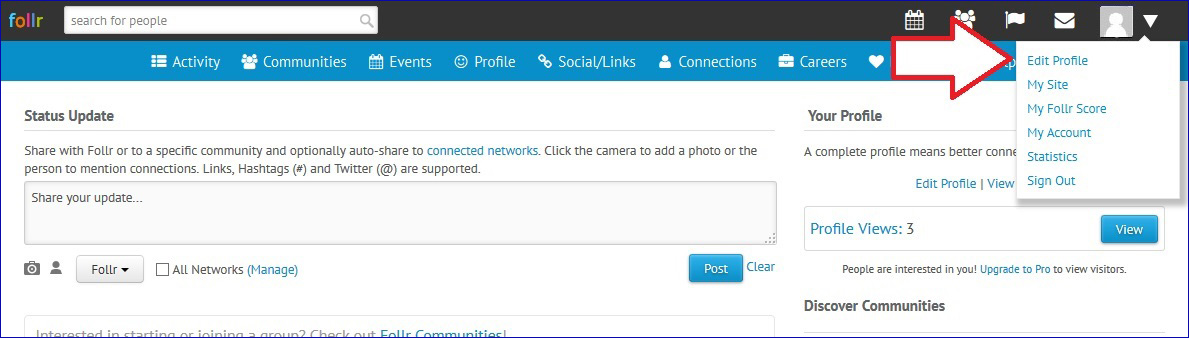
2: Click the down arrow next to your profile image, and from the menu that pops down, select “Edit Profile”.
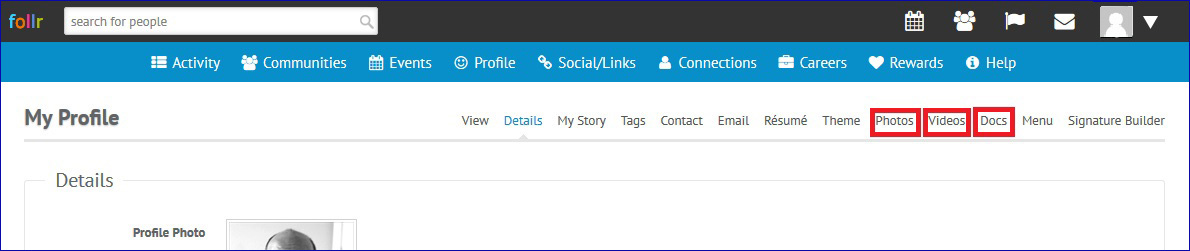
3: You’ll see a variety of options — all sorts of ways that you can personalize or modify your account, including adding your resume and contact information. Here’s also where you’ll add photo files, video links, or other types of documents in a variety of formats, up to 6 MB.

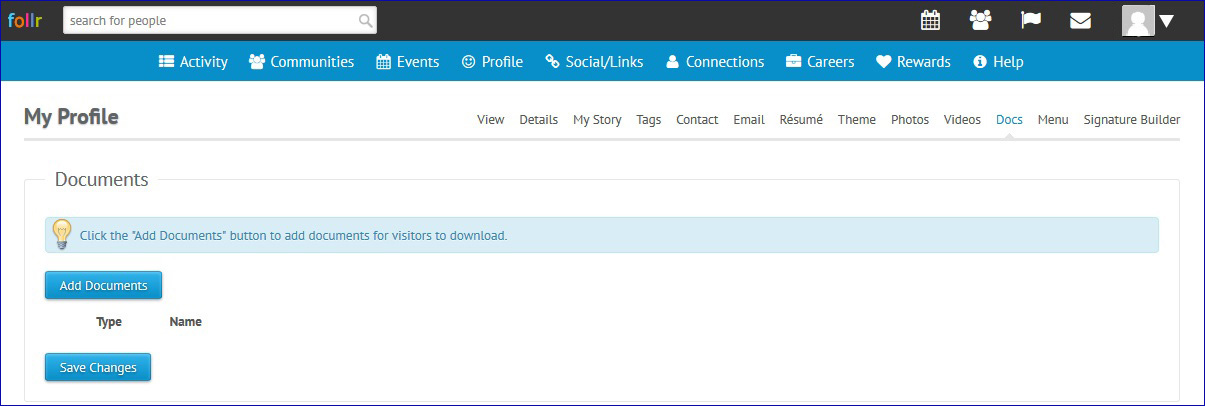
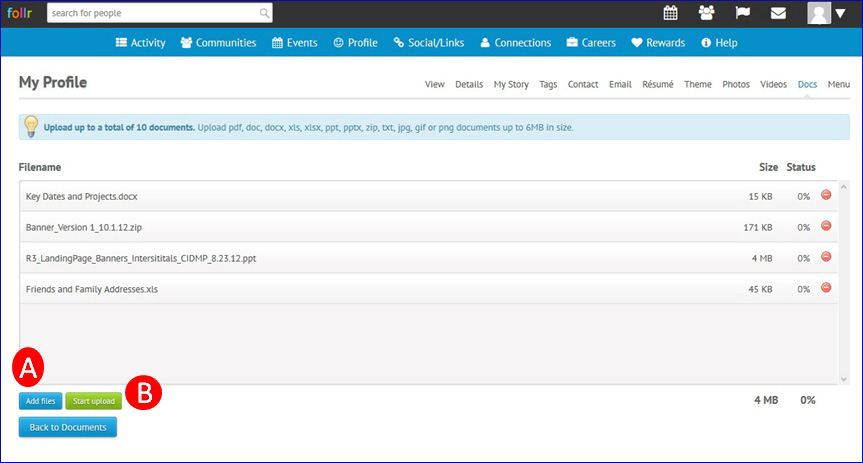
4: When choosing “Docs,” you’ll see an initial page that is where you’ll access the upload functionality. It’s also where your documents will display after you’ve loaded them.


5: Simply add your documents, either manually (A), or by dragging them into the window. Then upload them (B), and you’re done!

Follr Adds The Football Republic Videos to All Supporters Club Websites

We are excited to announce the addition of videos from The Football Republic to all supporters club Websites on Follr!

The Football Republic is “your home of football” and “cover[s] every blade of grass to bring you the best original football content and uncover stories about the beautiful game.” Presenters include Adam Boultwood, David O’Brien, Sam Homewood, Rob Armstrong and Laurence McKeena.

They add “With all the biggest debates and the latest reaction from around the world of football, TFR puts football fans at the heart of the action, with live shows, transfer news, Top 10s and much, much more!”

Here is a recent video, login to Follr to see more:

You can connect with The Football Republic on the Web, Twitter, Facebook, Instagram and YouTube.

Let us know if there are other YouTubers, podcasters or bloggers you would like to see added to Follr.