Follr Community Feature #2: Adding Content Blocks to your Community Page

This week on the Follr Blog we’ll again be going behind the scenes to look at some great Community Features!

Here’s a great one that you can use to improve your Community Home Page.. adding Custom Content Blocks.

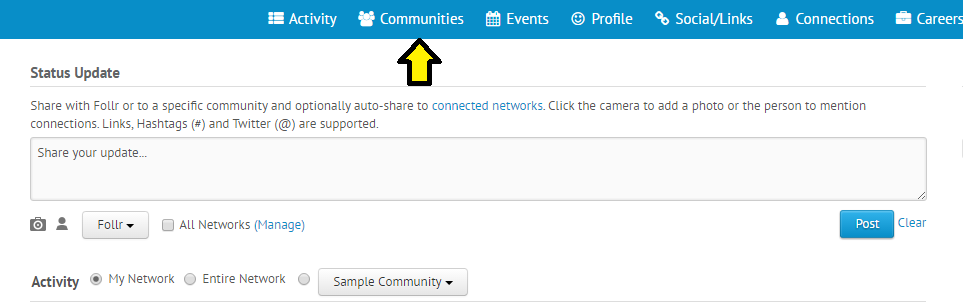
To add Custom Content Blocks to your Community Home Page, simply log in at www.follr.com, then click on “Communities”:
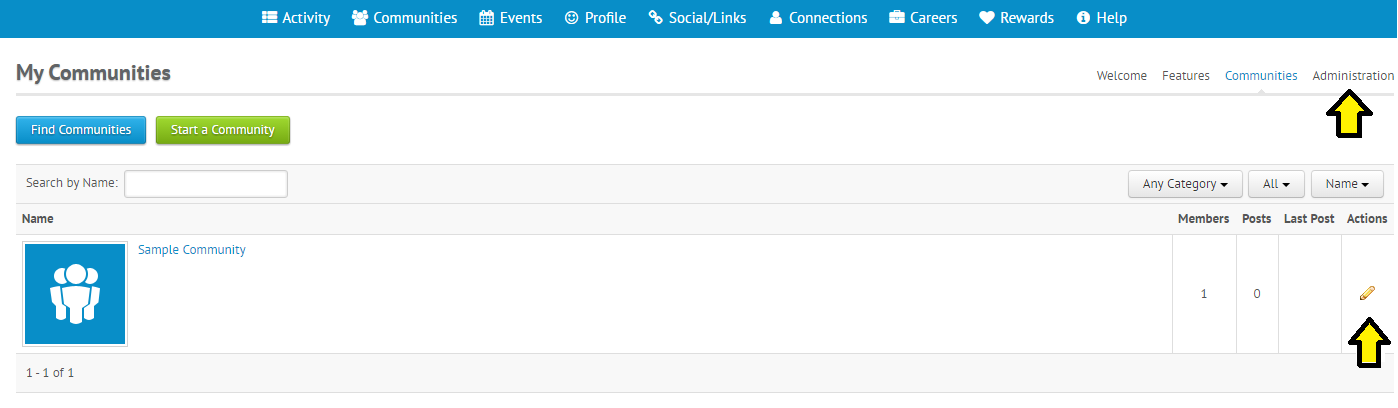
If you haven’t already created your own Community, go ahead and do this!  After it’s created, either click on “Administration” or the Pencil icon under “Actions”:
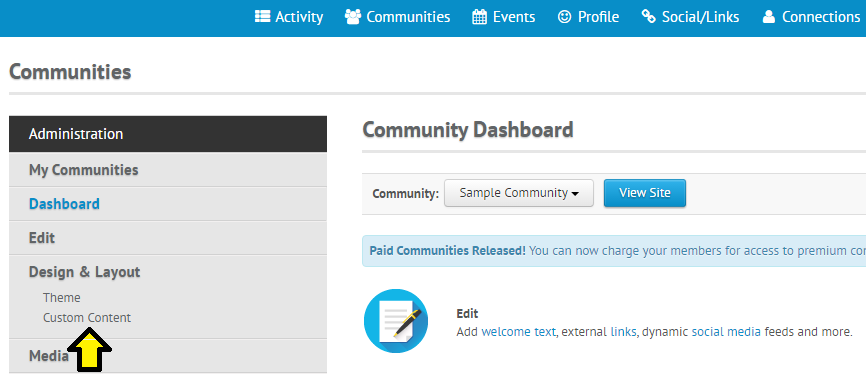
Then click on “Custom Content” under “Design & Layout”:
On the next page you’ll be able to “Add a Content Block”:
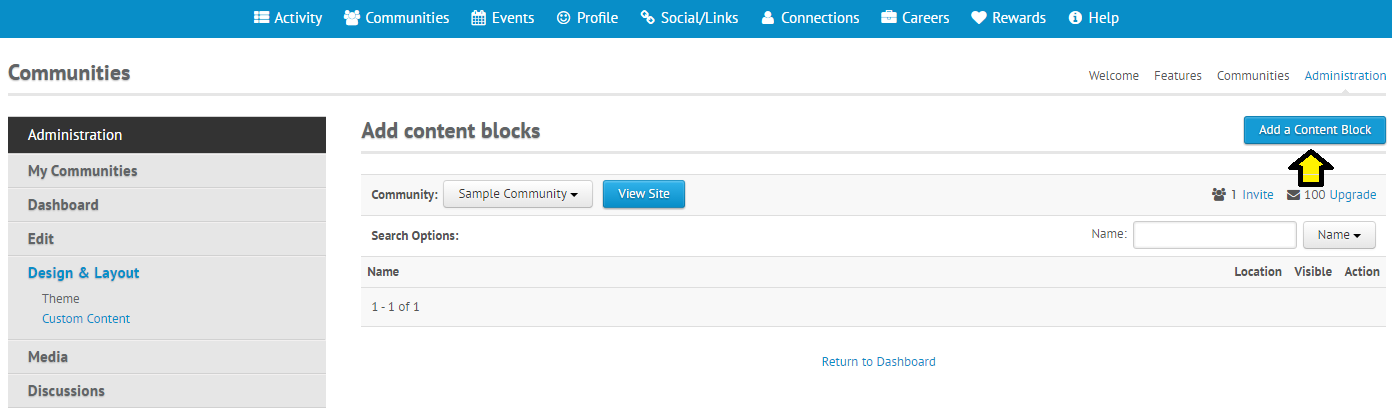
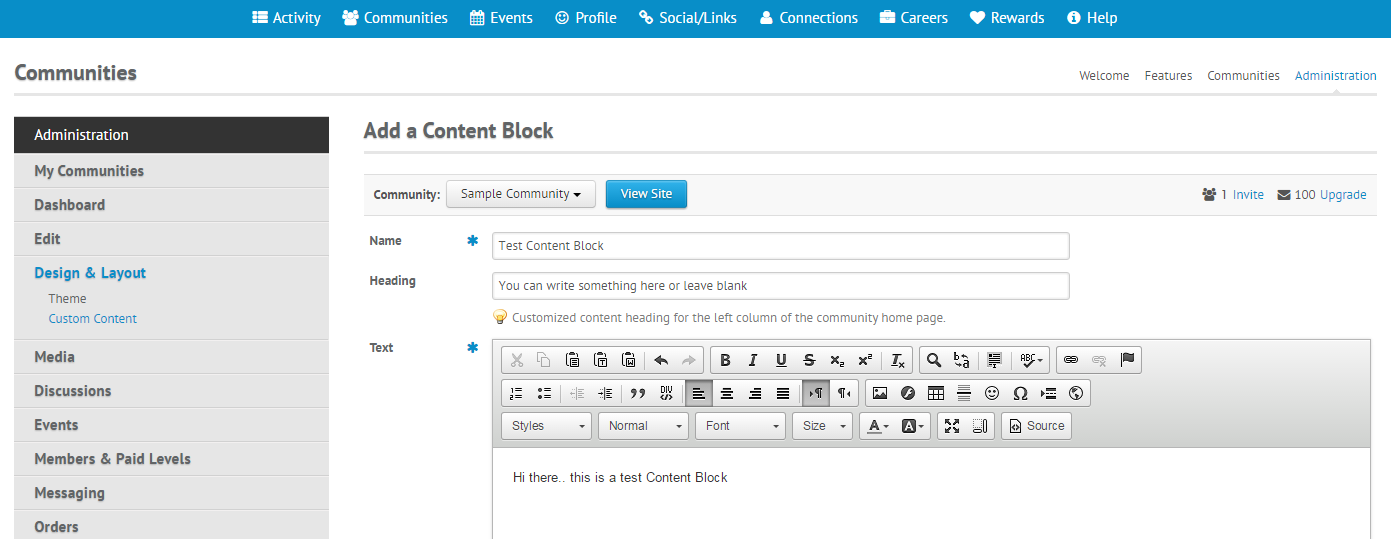
Now you’re ready to get started! Simply fill out the form on this page, starting with “Name”, then “Heading” (which is optional) and then you can input whatever text, pictures or links you wish under “Text”.
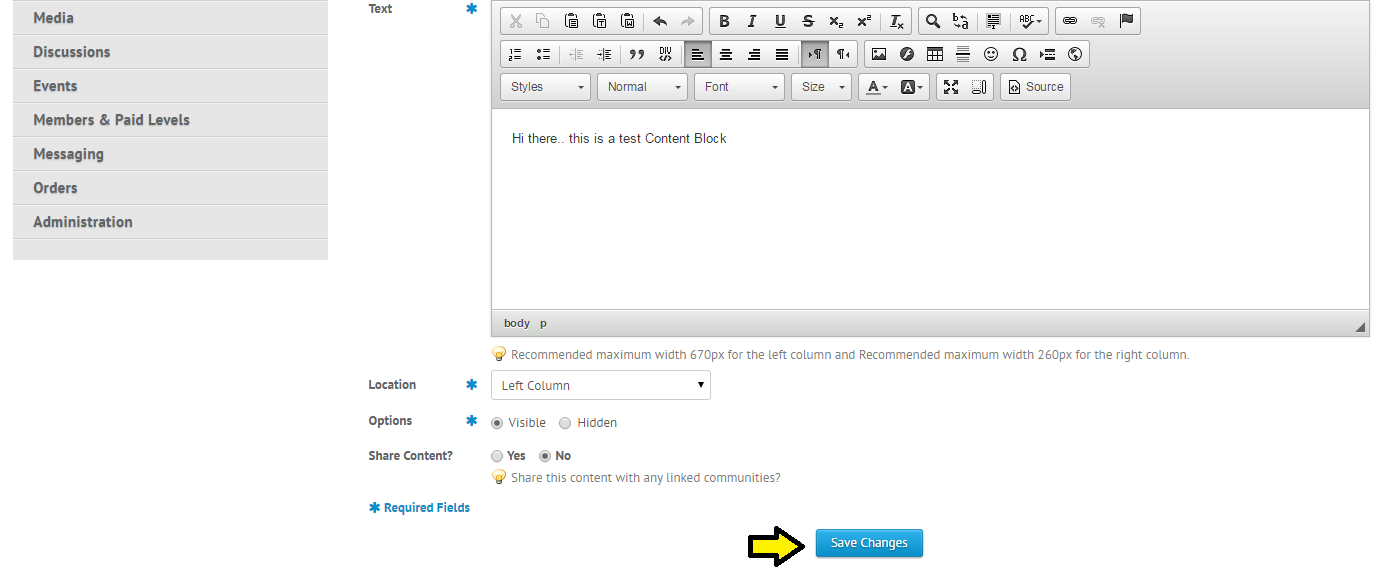
Then just decide where you want it to be on your Home Page (“Location”) and click “Save Changes”. That’s it!
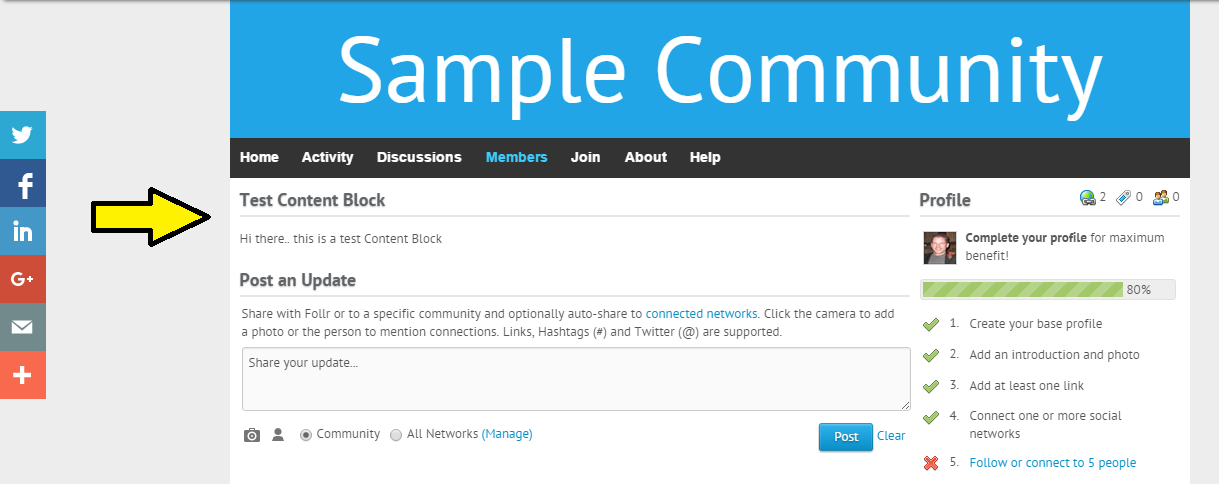
Now you can go to your Community Home Page and voila!  Your Custom Content Block will appear.
You can add as many of these Content Blocks as you wish.. they are a great and easy way to share content with your Follr Community!

Stay tuned for more great Community Features to come.

Why Upgrade to Follr Professional?

People often ask what the difference is between the free version of Follr Personal and the paid version. There are lots of differences, here are some of them:

Social Stream – Follr Professional displays up to 30 posts from each social source going back up to 180 days. This is far more content than our free version.


Web Links – Add links to all of your profiles, blogs, services, Web sites and all other Web links that matter to you. With Follr Professional you can add up to 50!


Documents – Add a printable résumé/CV, sales documents, product or company information, portfolio, anything really. This is only available to Pro users.


Event Management – Make events, conferences and meetings more productive and valuable. Attendees make contacts before, during and after events.


Messaging – Free users can send up to 25 messages per month to connections. Pro users have unlimited messaging and can send up to 25 messages per month to non-contacts.


Statistics – See who viewed your Follr Personal Website and internal profile. Also see which of your documents was downloaded.


My Story – Add up to 100 professional or life events to your My Story when you upgrade. You can add up to 10 events with our free version.


Search Engines – It’s important that your site is found as easily as possible. Upgrade to Pro to set your own Title and Meta values and add Google Analytics tracking.


For more information click here.