
“Managing Online Risk: Apps, Mobile, and Social Media Security” Book Released Featuring Stephen Fells

Deborah Gonzalez

Deborah Gonzalez

Managing Online Risk: Apps, Mobile, and Social Media Security“, authored by Deborah Gonzalez, is a definitive resource that provides an overview of the risk mitigation strategies, solutions and best practices to address liability and security concerns arising from corporate online and digital activity.

The book, based on content aggregation, seeks out and integrates the most recent and best information available. Chapter 3, “Reputation and Identity” includes an interview with Follr CEO Stephen Fells.

The book presents readers with tools and resources to better understand the security and reputational risks of online and digital activity, as well as information on how to mitigate those risks and minimize potential loss. The tools and resources include case studies; industry and expert profiles; lessons learned; overview of relevant laws, regulations, and professional guidelines by industry; sample policies, disclaimers and online community guidelines; and more.

In addition the book has a companion Website (www.mangingonlinerisk.com) that offers the latest updates and resources.

managing-online-risk-book-cover

The book contains ten chapters focusing on security and risk management concern in the digital and online environment. The chapters are:

Chapter 1: Risk Management Digital Style
Chapter 2: Internal and External Risks
Chapter 3: Reputation and Identity
Chapter 4: The New Workforce
Chapter 5: Big Data
Chapter 6: Approaches to Content
Chapter 7: Compliance
Chapter 8: Currency and Campaigns
Chapter 9: Digital Succession
Chapter 10: The Future of Online Security

To purchase the book visit Amazon.com.
Follr Feature Focus – Sharing Content

There are many Follr features that people tell us they love but content sharing gets more than most.

Within Follr you can widely share activity and content from and to your connections and with members of the general Follr community:

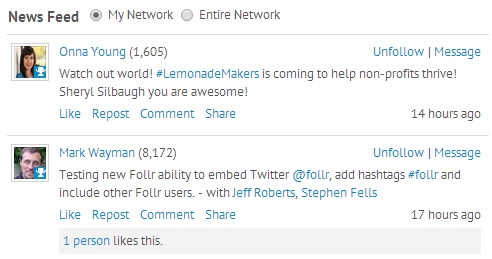
Follr Digital Identity Newsfeed

The activity and status updates you see are either from ‘My Network’ (your existing Follr connections) or ‘Entire Network’ (everyone else). You can then like, repost, comment and share that content via Facebook, Twitter, LinkedIn or Google+.

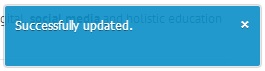
To like a post simply click the ‘Like’ link and you will see this message:

Digital Identity

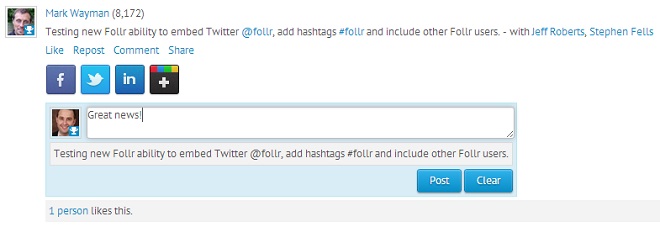
To repost content within Follr click the ‘Repost’ link, add commentary (if so desired) in the box then click the ‘Post’ button:

Follr Repost

In the example above you will see Mark used a hashtag, an @ sign and member tagging. We’ll highlight these features in a later post.

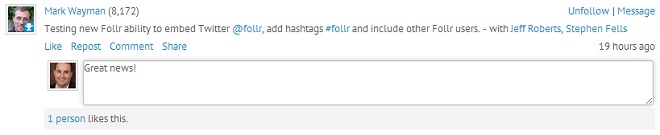
Commenting is easy – simply click the ‘Comment’ link, add your comments then hit enter:

Digital Identity

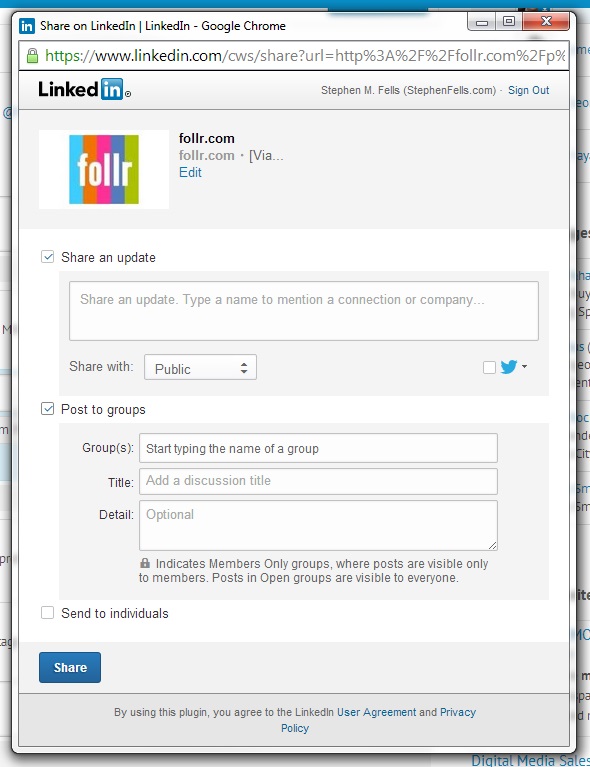
And finally Sharing. Simply click the ‘Share’ link, select a social network you want to post to then click share. And you can post to Facebook and LinkedIn groups and pages!

Post To LinkedIn Groups

Check back for details on other Follr features and if you would like to see something added please let us know.