
 Congratulations! You’ve taken the plunge and decided to start an online community. Hopefully your next step is to focus on growth and retention. To do that, you need to get your community out there by promoting. Read on for seven easy ways to do just that!
1. Create a Short Video Create a short video in which you introduce yourself and the community and elaborate on why you started this journey. It doesn’t need to be particularly long or fancy – 2-3 minutes will do. Simply visualizing you, the face of the community, will entice potential new members to join and give a much-appreciated sense of transparency. Embed it in the welcome text of your community and your email invitations (See #2).
2. Invite Your Target Audience If you’ve decided to create a community, hopefully you already have an idea of who your members will be and have a target audience in mind. Once you have email lists, send a thoughtful, well-constructed invitation with a link to join and brief overview of your community’s focus and features. Up and coming community platform, Follr’s power email capability makes this so easy.
3. Make your Business Card & Email Signature do Double Duty This may seem like a no-brainer, but not nearly enough community managers do this: add your community link to your business card and email signature. This is a great way to make all types of people aware of your community and a great conversation starter when you exchange business cards at networking events. If you ask me, business cards and resumes are slowly but surely becoming obsolete thanks to platforms like Follr and LinkedIn so take advantage of email and add your link there too.
4. Get Involved in Similar Communities Visit blogs, groups and forums where your target audience is likely to be hanging around. Introduce yourself and join the conversation. Once you’re established in the community, casually invite members to take a look at a piece of content or a post on your community to entice them in.
5. Take Advantage of Existing Followers Take advantage of any traction you have on other social media platforms and blast out your link there. Facebook, Twitter, LinkedIn, Instagram, and don’t forget your Facebook and LinkedIn groups as well. P.S. Use that hashtag!
6. Use a Hashtag This seems simple but come up with one short hashtag for your community and use it religiously. Photos, updates, content, you name it – it should all be searchable by your community hashtag. Check out more great things to do with hashtags here.
7. Send Newsletters Weekly or bimonthly send out a short newsletter via email to your members. Let them know what’s going on in the community, highlight new members and give the community a heads up on upcoming events or promotions.
 Season’s Greetings! As the holidays are upon us this year, now is a great time to talk about your Follr page and then invite new members to become part of your growing community.
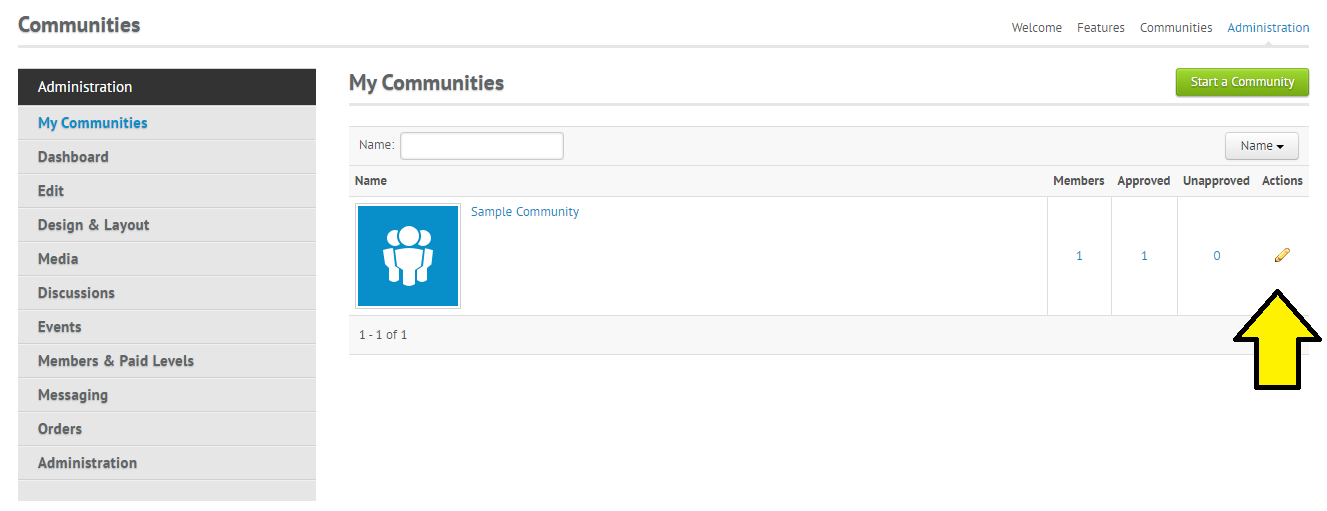 Then on the left-hand side, click on “Members & Paid Levels” and then “Invite”:
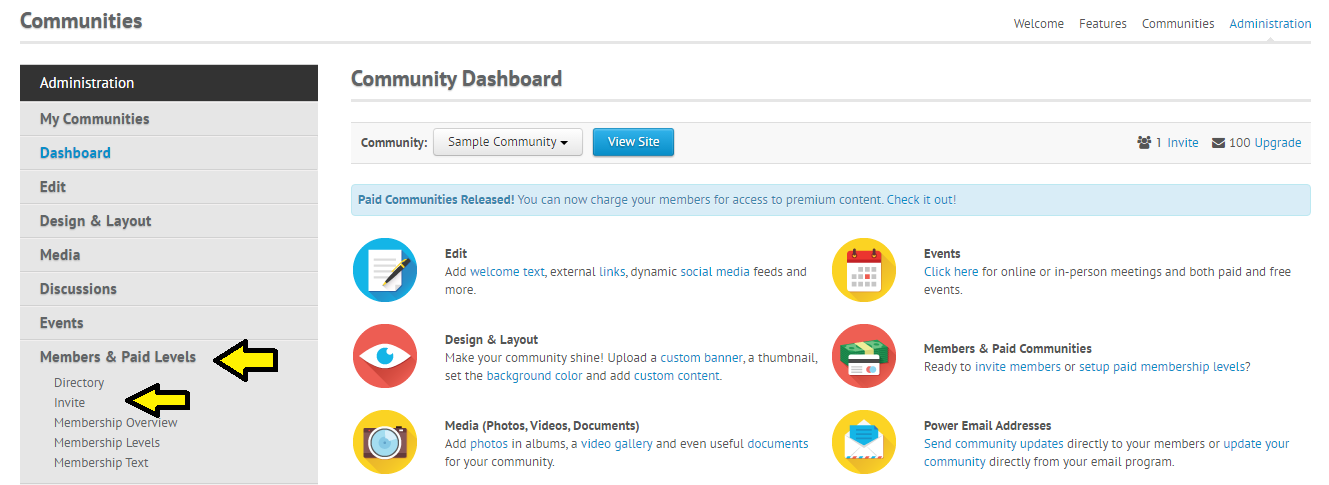 Now you’re ready to begin inviting new community members! On the next page you’ll see two parts you’ll be interested in.. sending invites via social media and email.
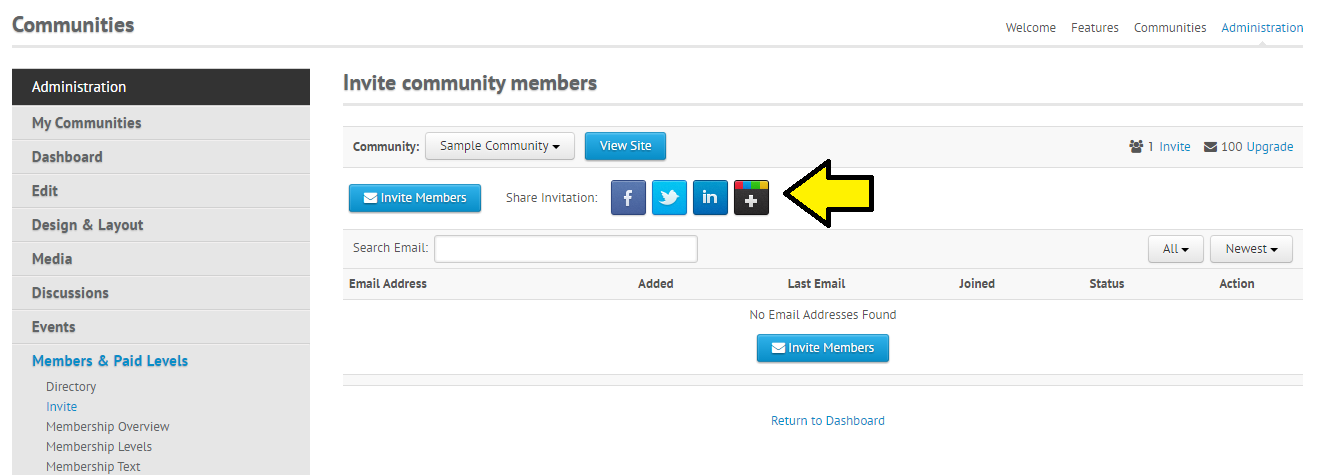 Or if you’d like to invite via email, click on “Invite Members” at bottom:
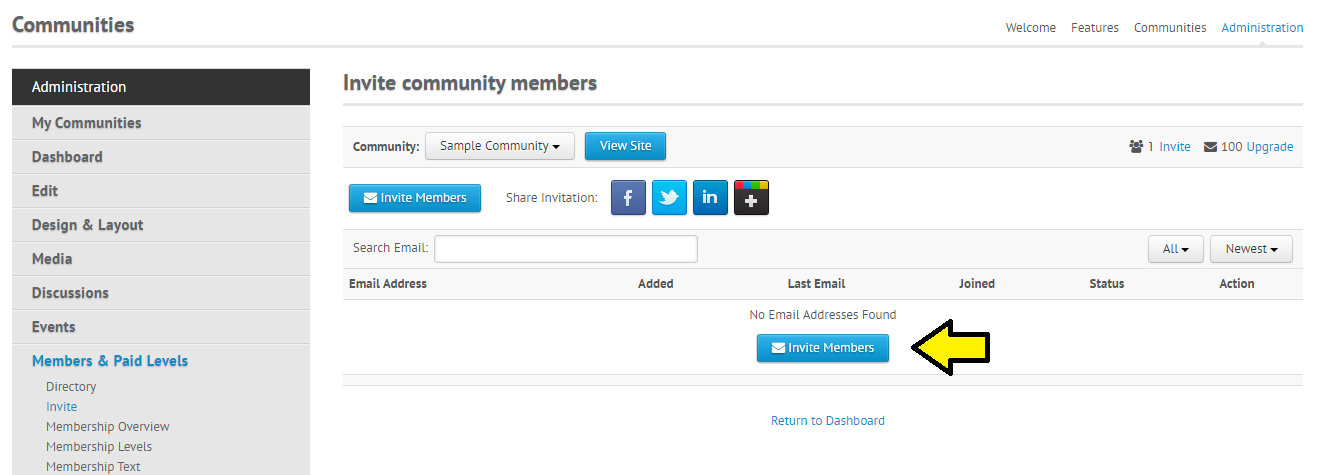 This will take you to a page where you can manually enter the email addresses of people you’d like to invite, or you can choose to upload a file of email addresses by clicking on “Upload File”: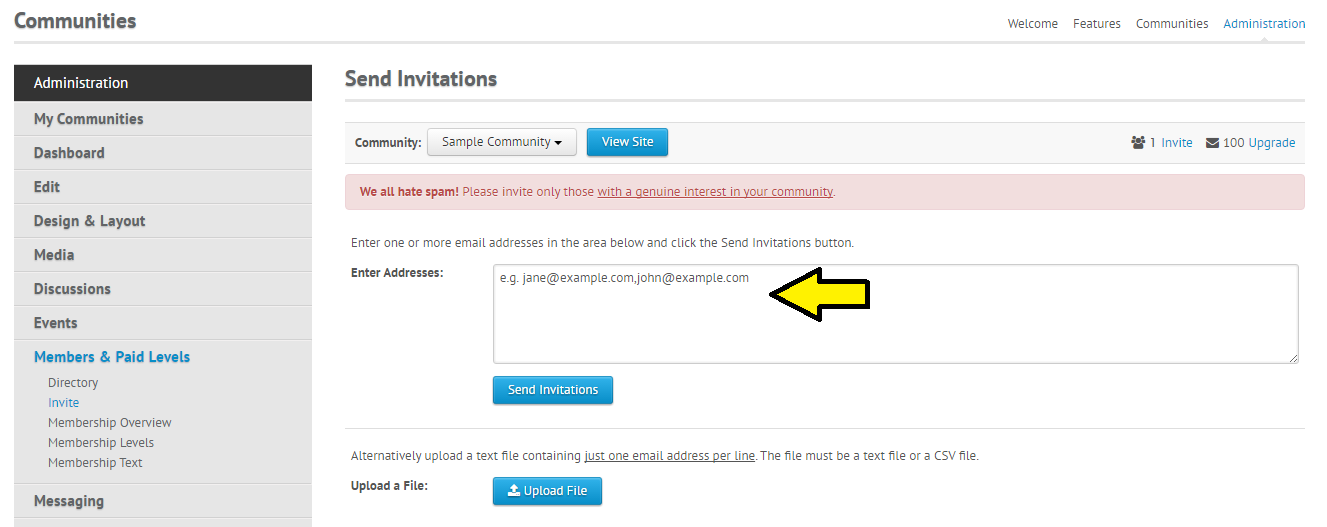
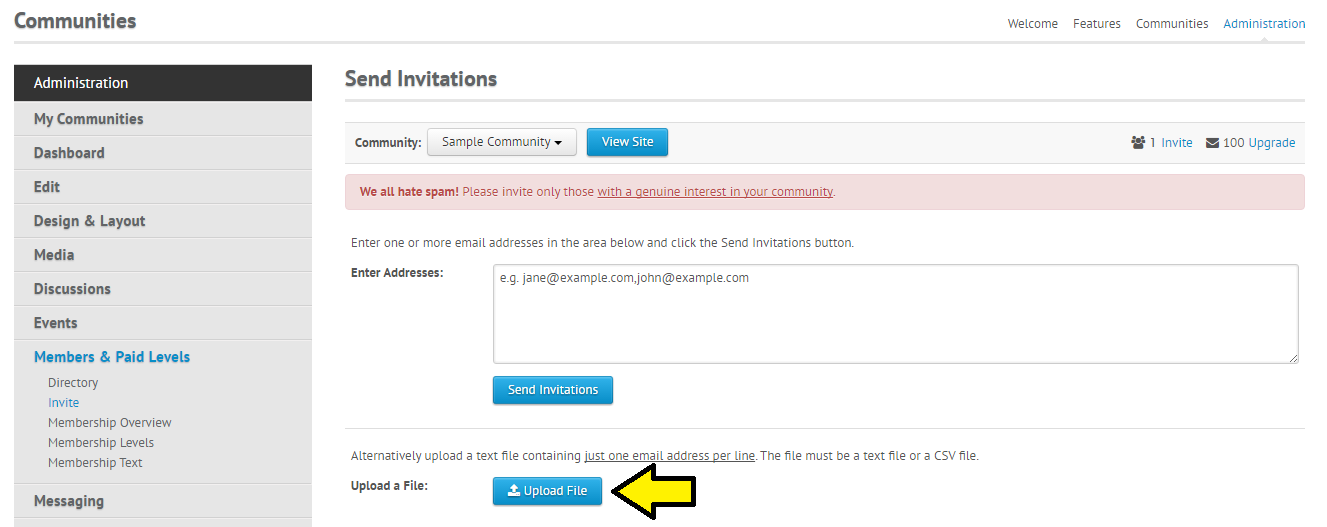 ** Please note that if you’re uploading a file it needs to be in a text or .csv format, with one email address per line. And please, no Spam! 🙂
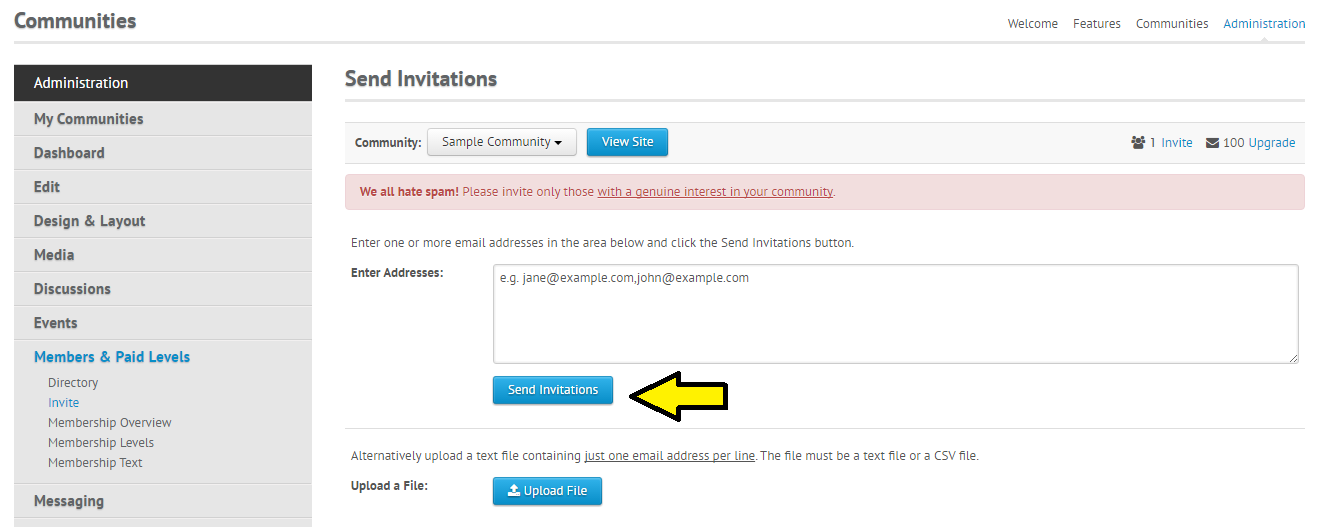 That’s it! Now you can sit back, relax and watch your Follr community grow.